 By
By Every electronic device, from your smartphone to your coffee maker, relies on complex code to function correctly. Understanding the fundamental distinction between firmware vs software is crucial for managing device performance and troubleshooting technical issues.
Grasping this comparison is essential for anyone interacting with technology daily. This guide will clearly define both components. It will then detail seven major comparisons between them, providing practical examples to illustrate why they both play vital, separate roles in ensuring your electronics run smoothly.
Key Takeaways:
- Firmware provides the low-level, basic instructions needed to initialize hardware, while software runs complex, user-facing tasks.
- Software is easily updated by the user, but firmware updates are rare and necessary only for critical hardware functionality changes.
- Understanding the difference is key to knowing whether a performance issue requires an application update or a deeper system fix.
What is Firmware and Software?
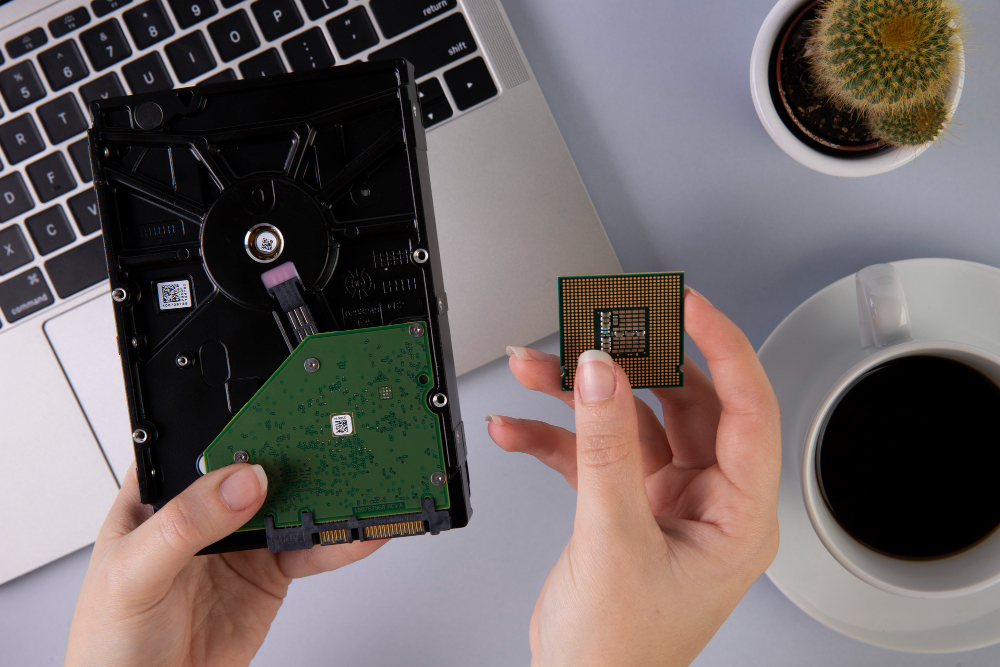
Software refers to the broad category of programs, applications, and operating systems that execute high-level tasks on a device. It is the code that users interact with daily. Examples include web browsers, video games, or word processors. This code is generally stored in memory like a hard drive or solid-state drive (SSD).
Firmware, by contrast, is a specific type of software that provides the essential operational instructions for a piece of hardware. It is permanently stored in read-only memory (ROM) or flash memory chips on the device’s circuitry. Firmware tells the hardware how to turn on and communicate with the main operating system.
The primary comparison is how they interact with the user and hardware. Software provides the user interface and features, while firmware handles the initial boot-up process and manages low-level hardware control. These separate roles define the concept of firmware vs software.
Also Read: Disciplined Delivery: Mastering the Team Software Process (TSP)
The Difference Between Firmware and Software
Software and firmware exist in a symbiotic relationship. One cannot function without the other, but they operate at separate levels of the device stack. The relationship highlights how firmware relates to software in the operational cycle: firmware enables the hardware, which in turn allows the software to run.
1. Primary Function

Firmware handles a device’s essential startup and control tasks. Its primary role is bootstrapping and initialization, such as activating a router’s ports or preparing a camera’s sensor so the device can function.

Software focuses on high-level features and user interaction. It runs applications, enables internet browsing, and manages complex tasks through the operating system, all built on top of the foundation that firmware provides.
In short, firmware controls the hardware’s basic operations, while software serves the user by performing tasks and enabling interaction.
2. Location of Storage
A clear distinction between firmware vs software lies in where each one is stored. Firmware is stored on non-volatile memory chips embedded within the hardware itself, like ROM or EEPROM chips. Software is stored on more generalized, flexible storage media, such as hard drives, SSDs, or in a computer’s RAM.
This difference in storage highlights how each type of code behaves. Firmware is designed to be a stable, long-term part of the device, while software is temporary, movable, and easy to update.
3. Ease of Update

Updating software is a routine, user-initiated action that can be performed frequently through app stores or operating system prompts. Updates add new features, fix bugs, or improve security without significant risk.

On the other hand, firmware updates are far less common and more complex. They often require specialized tools, and if the update fails, the device can become permanently unusable or “bricked.”
Because firmware controls a device’s core functions, manufacturers test updates carefully, which leads to longer development times and fewer releases overall.
Also Read: Top 10 Construction Estimating Software Solutions
4. Code Complexity
Software, particularly large applications and operating systems, consists of millions of lines of highly complex, high-level programming code. It handles intricate tasks and abstract concepts. Firmware consists of relatively small, compact code written for efficiency and speed. The simplicity is necessary for rapid initialization.
The simplicity of the firmware is limited by the embedded chip’s small memory capacity. Software has virtually limitless memory capacity, driving its complexity. This complexity difference is another major comparison between firmware vs software.
5. Role in Device Startup
Firmware executes immediately when the device is powered on. For a PC, this is the BIOS or UEFI, which initializes components before loading the operating system. Software only begins to run after the firmware has successfully prepared the hardware and loaded the operating system.
The firmware acts as the foundational layer that hands control over to the operating system software. This control transfer mechanism, which involves locating the bootloader and transferring execution authority, is typically the last action the firmware performs. This handoff is critical for the seamless boot process.
6. Risk of Neglect (Security)
Software vulnerabilities are patched frequently, and operating systems remind users to update to stay protected. Firmware updates, however, are far less common and often overlooked because they feel technical or risky. This neglect creates a serious security gap.
In many organizations, outdated firmware remains a major weakness. Edgescan found that 45.4% of vulnerabilities remained unaddressed for over a year, showing how easily firmware issues can accumulate. This difference in update behavior makes security a critical part of comparing firmware vs software.
Also Read: 10 Must-Have Asset Management Software for Business
7. Examples in Daily Use

Firmware appears in everyday electronics like Smart TVs, Wi-Fi routers, and digital cameras. It manages their essential functions, connectivity, and hardware behavior. Software shows up in user-facing applications such as Chrome, Netflix, or mobile banking apps, all of which rely on firmware to interface with the device’s hardware.

In a router, for example, the firmware handles core tasks like directing network traffic and maintaining stable connectivity. On the user side, the router’s settings software provides the interface for tasks like updating the Wi-Fi password.
This separation ensures that problems in high-level software do not affect the device’s ability to perform its basic hardware functions.
Also Read: 12 Best Product Management Software with Next-Gen Features
Maintaining Performance: The Importance of Firmware vs Software
Understanding the difference between firmware and software helps you troubleshoot devices more effectively. Software issues often cause performance slowdowns or app errors, which can usually be fixed with a simple update. Connectivity or basic hardware function problems, however, may point to outdated or faulty firmware.
Recognizing which layer is responsible lets you resolve issues faster and maintain overall device performance.